





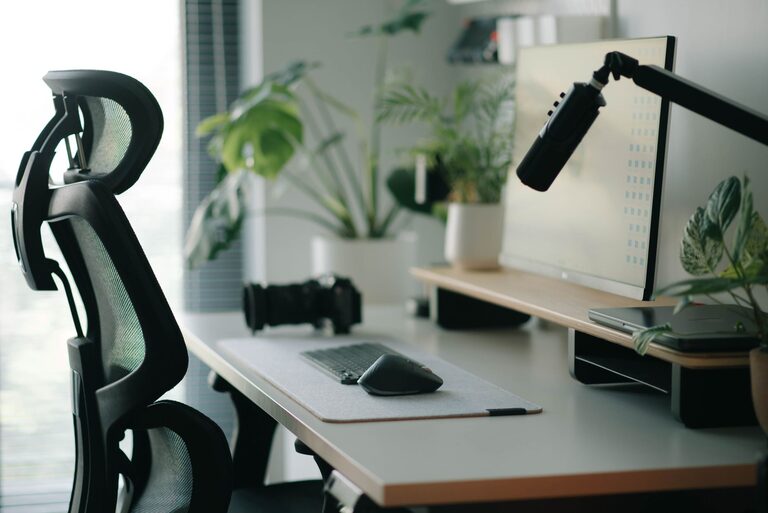
Creating an efficient and comfortable desk setup can make a significant difference in your productivity and overall well-being. Whether you work from home, at an office, or a hybrid setup, your workspace should promote focus and reduce physical strain. Here are some practical tips to design a desk setup that supports both comfort and concentration.
Why Your Desk Setup Matters
A well-thought-out workspace can improve your ability to focus, reduce distractions, and prevent discomfort or injury. Poor posture, clutter, and improper equipment placement can lead to fatigue, muscle pain, and decreased productivity. By optimizing your desk environment, you set yourself up for success each day.
Choosing the Right Desk and Chair
Desk Height and Size
– Ideal Desk Height: Your desk should allow your forearms to rest parallel to the floor when typing, typically around 28–30 inches tall. Adjustable desks are great for fine-tuning this.
– Surface Space: Ensure your desk has enough room for your computer, keyboard, mouse, and any other essentials without overcrowding. This reduces clutter and helps maintain focus.
Ergonomic Chair
– Adjustable: Look for chairs with adjustable seat height, backrest, and armrests to fit your body properly.
– Lumbar Support: A chair with good lower back support helps maintain the natural curve of your spine.
– Comfortable Padding: Choose a chair with cushioning that supports long hours of sitting without causing discomfort.
Monitor Placement for Reduced Eye Strain
– Eye Level: Position your monitor so the top edge is at or just below eye level. This promotes a neutral neck position.
– Distance: Keep the screen about an arm’s length away to avoid leaning forward or squinting.
– Multiple Screens: If you use more than one monitor, arrange them side by side and angle them slightly inward to minimize head and neck turning.
Keyboard and Mouse Setup
– Keyboard Position: Place your keyboard directly in front of you, with enough space to rest your wrists. A keyboard tray can help achieve the right height and angle.
– Mouse Placement: Keep your mouse close to your keyboard to avoid overreaching. A mouse pad with wrist support can reduce strain.
Lighting and Ambience
– Natural Light: Whenever possible, position your desk near a window to take advantage of daylight. Avoid glare by placing the monitor perpendicular to windows.
– Task Lighting: Use adjustable desk lamps to provide focused lighting for reading or detailed work.
– Avoid Harsh Overhead Lights: Soft, diffused lighting reduces eye strain and creates a comfortable atmosphere.
Organizing for Efficiency
– Declutter: Keep only essential items on your desk to reduce distractions.
– Storage Solutions: Use drawers, shelves, or desk organizers to keep supplies and documents neatly stored.
– Cable Management: Use clips or cable trays to keep wires tidy and prevent them from tangling.
Adding Comfort Enhancements
– Footrest: If your feet don’t rest flat on the floor, use a footrest to reduce pressure on your legs.
– Anti-Fatigue Mat: For standing desks, an anti-fatigue mat can reduce leg and foot discomfort.
– Movement Breaks: Incorporate short breaks to stand, stretch, or walk to reduce muscle stiffness and boost circulation.
Personalizing Your Space
– Plants: Adding greenery can improve air quality and create a calming environment.
– Decor: Include inspiring artwork or personal items, but avoid cluttering your workspace.
– Sound: Consider noise-canceling headphones or soft background music if your environment is noisy.
Final Thoughts
A desk setup that balances ergonomics, organization, and personalized touches helps you stay focused and comfortable throughout your workday. Small adjustments can make a big difference, so take time to evaluate and refine your workspace. With these tips, you’ll be on your way to a more productive and enjoyable work routine.



More Stories
How to Create a Relaxing Home Workspace for Better Productivity